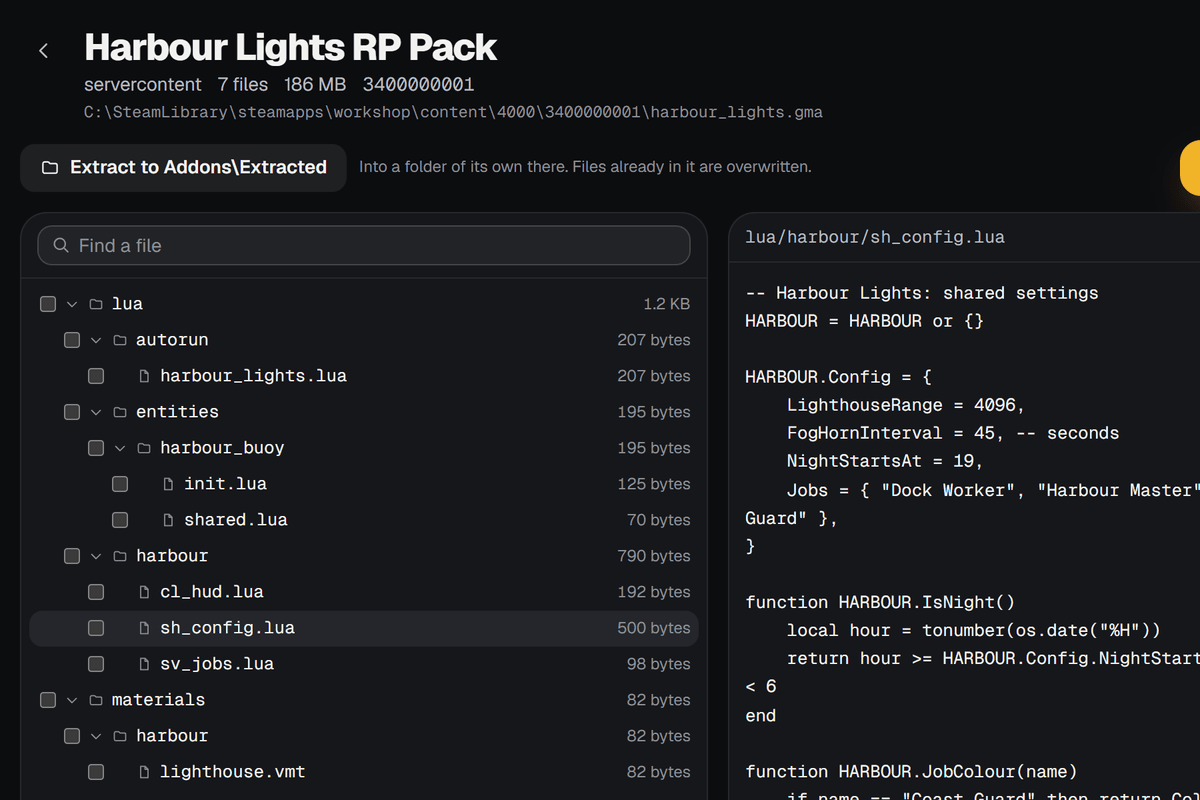
.gma files
Open any .gma, installed or not. Read its Lua, see its folders and sizes, and extract all of it or only what you tick. Old Workshop downloads open too.
Wattle Publisher checks every file against Garry's Mod's own rules, packs your addon the way gmad does and uploads it to the Steam Workshop. After that, an update is a change note and a click.
Version 0.1.0 · 108 MB · Windows 10 and 11, 64-bit
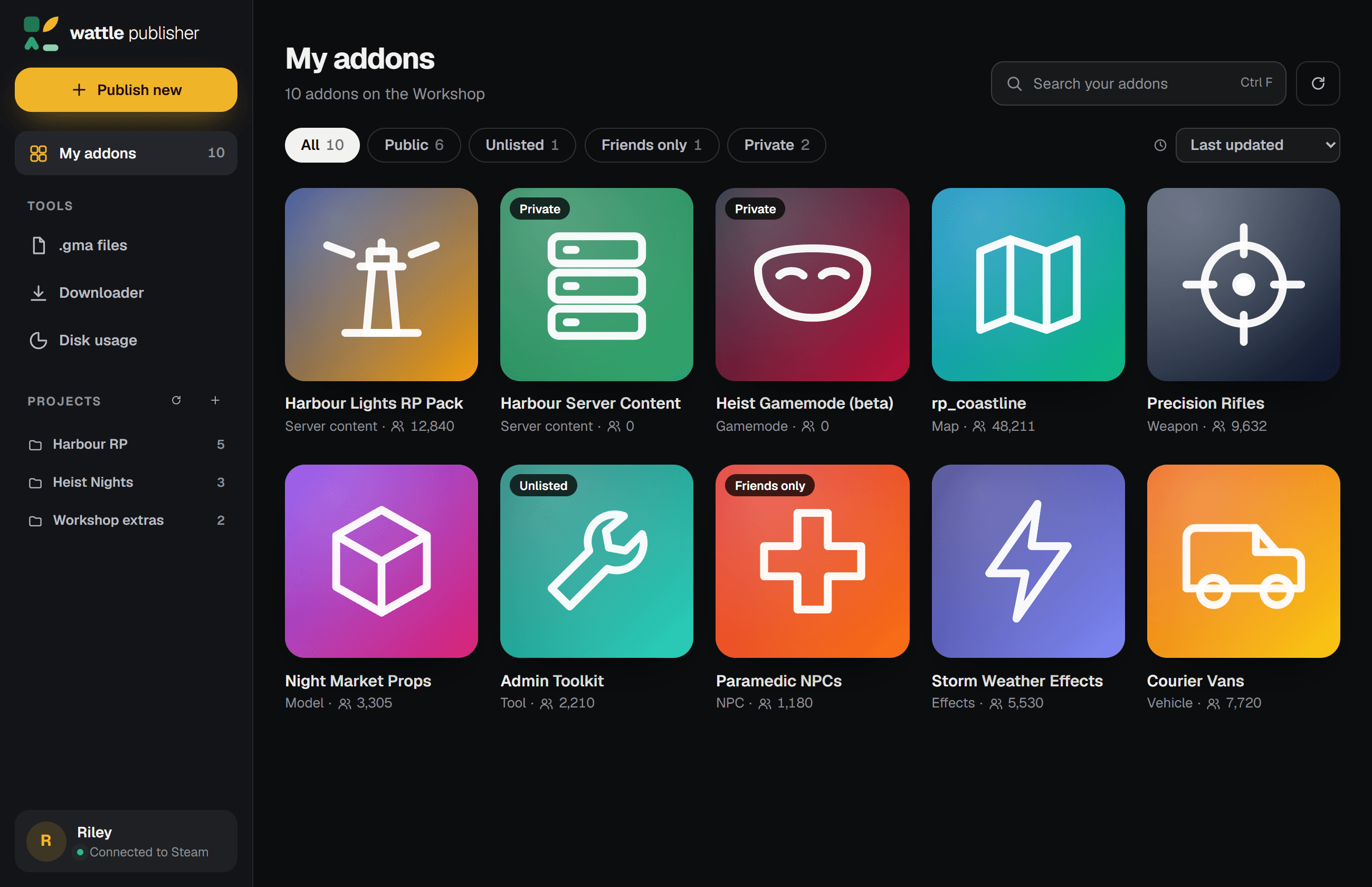
Files Garry's Mod won't load are listed before anything leaves your PC. Skip them in one click; they stay in your folder.
Addons are packed the way gmad packs them, and tested against gmad itself, so Garry's Mod loads them like any other.
It connects to Steam for each job and lets go a few seconds after, so your friends don't see you in Garry's Mod all day.
Publishing a Garry's Mod addon should take a folder and a minute. Here's what Wattle Publisher does with yours.
Drop in its folder and its addon.json fills in the title, type, tags and description. Pick an icon, choose who can see it, then Publish. New addons start Private, so nobody sees them before you're ready.
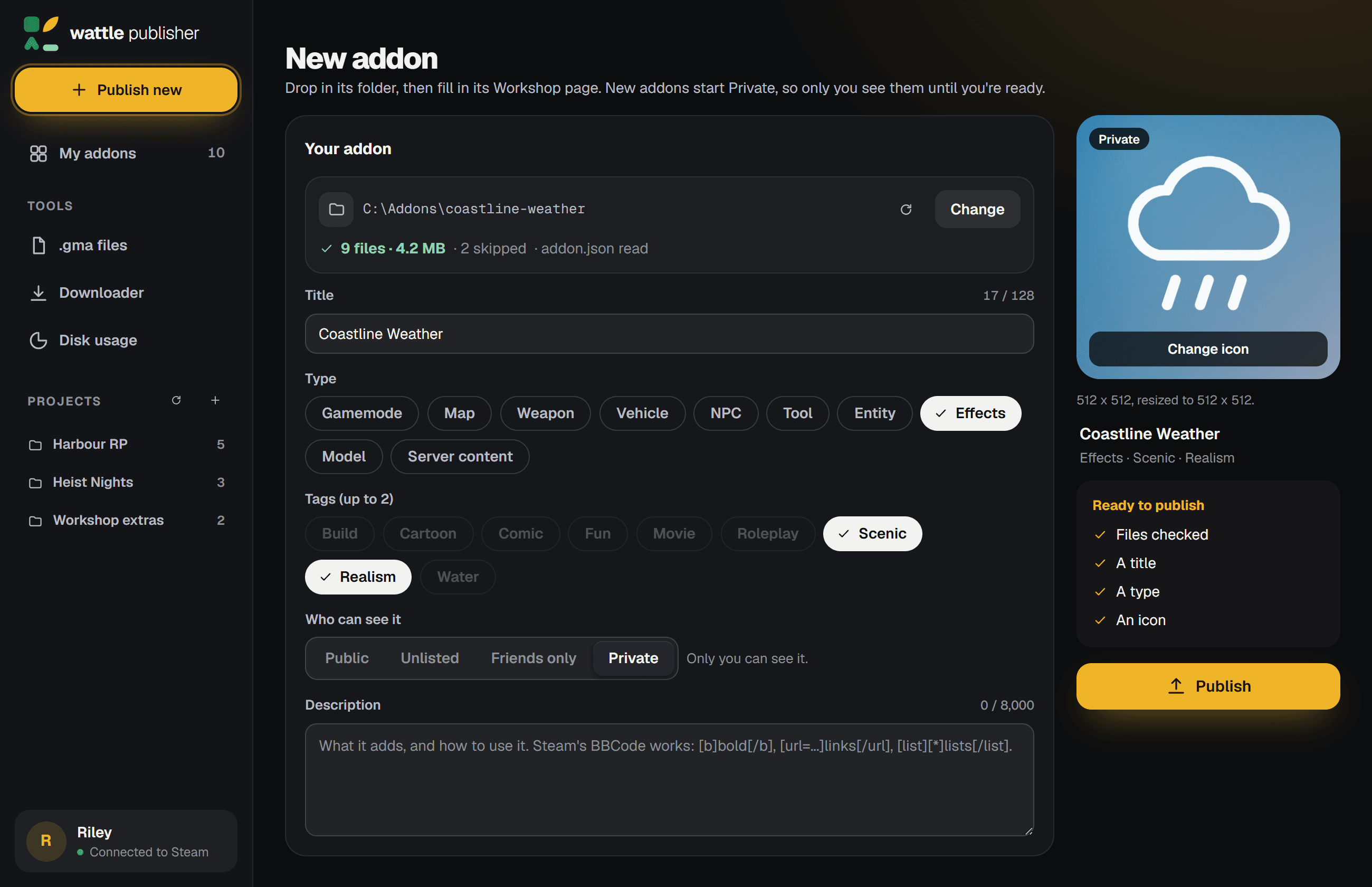
Every addon remembers its folder. Write what changed and upload the new version, or edit its Workshop page without touching the files.
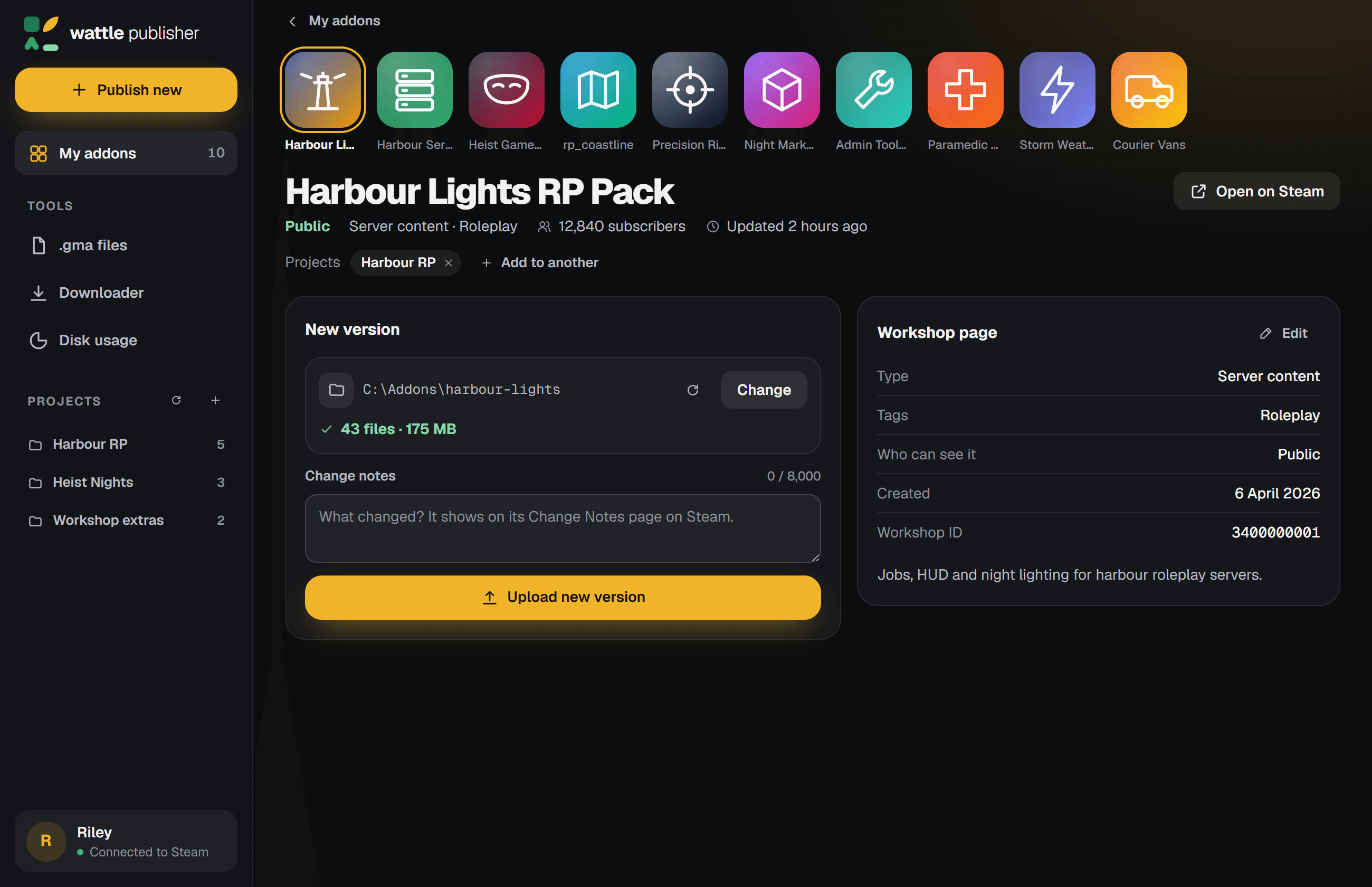
Group your addons by the server they're for. Open a project and everything for that server is in one place, ready to update.
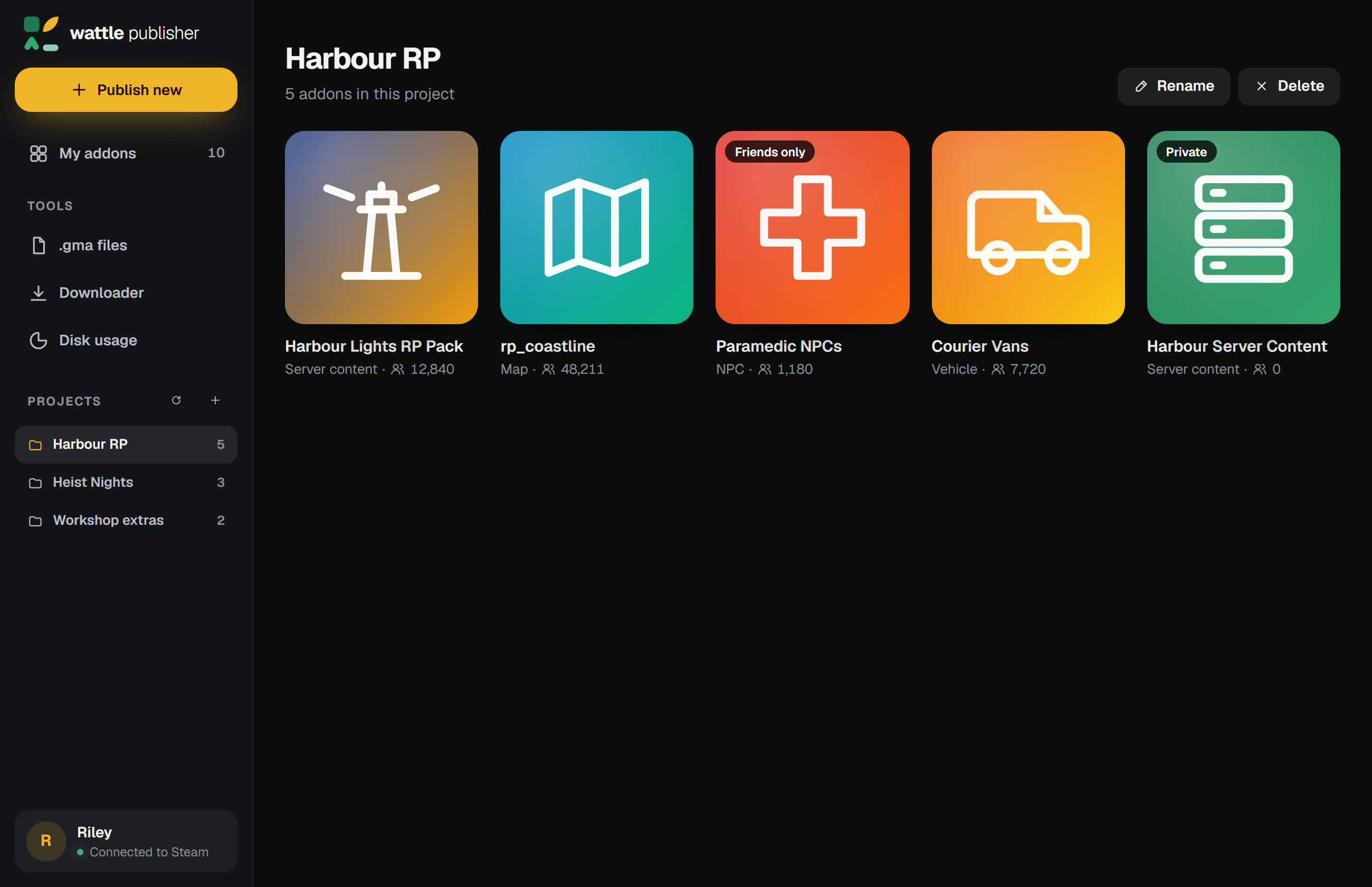
Look inside addons, pull down whole collections and find what's filling your drive, in the same app.
Open any .gma, installed or not. Read its Lua, see its folders and sizes, and extract all of it or only what you tick. Old Workshop downloads open too.
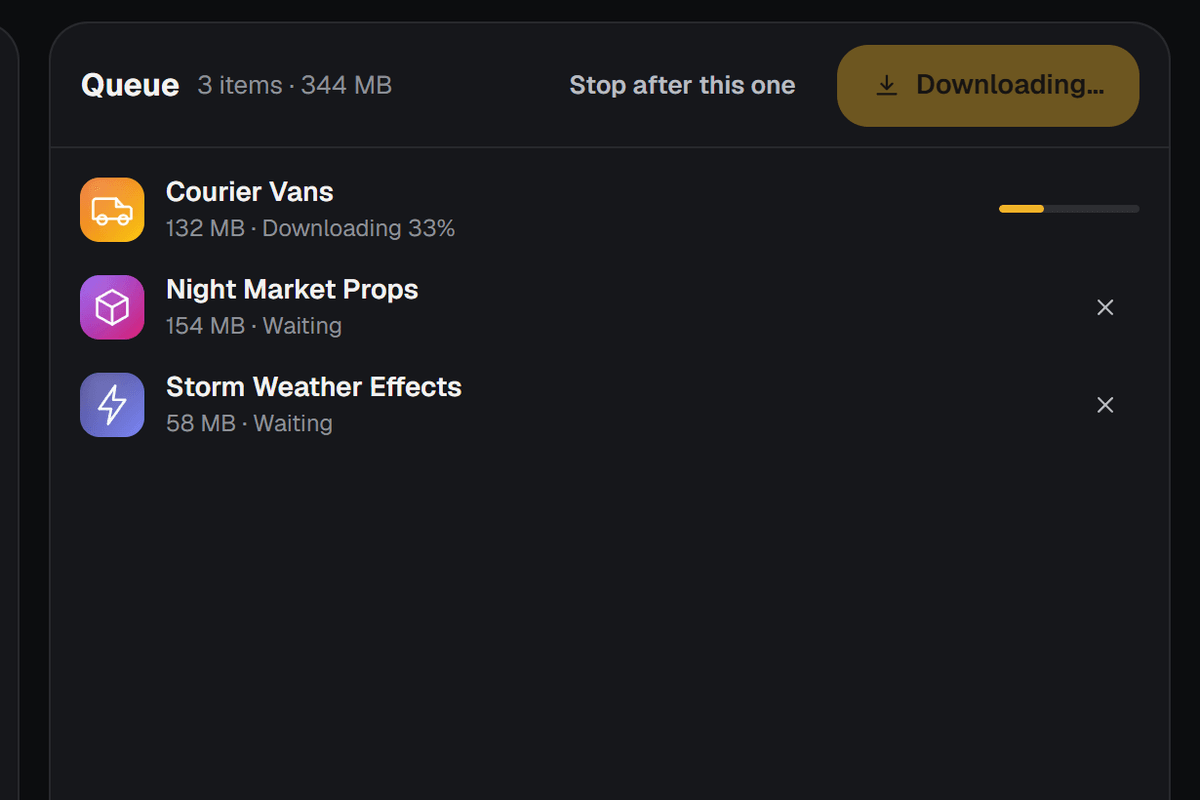
Paste links, IDs or whole collections. Each item comes down through Steam and lands in a folder of its own, ready to read or change.
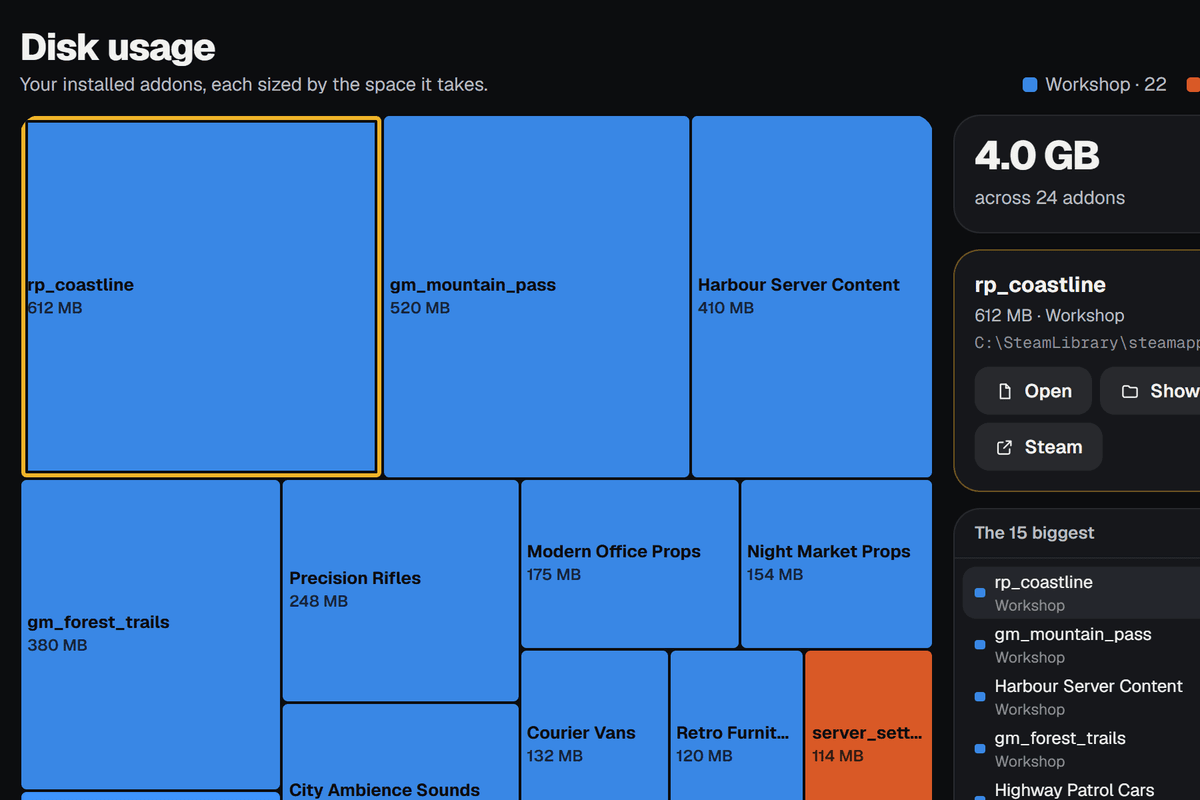
Every addon you have installed, mapped by the space it takes. Find the 600 MB map you forgot about in a second.
Publishing, a project, a .gma, the Downloader and Disk usage, in forty seconds. The addons are demos; the app is the real one.
It installs in seconds, just for you, with no admin prompt.
Download for WindowsVersion 0.1.0 · 108 MB
The installer isn't code-signed yet. Your browser may say it isn't commonly downloaded: choose Keep. Then SmartScreen may not recognise it: choose More info, then Run anyway.
SHA-256 ac0d79547ed5ff0ad306a05d7e36397cdda9d1bf770eca869118bae6d6753875
What people ask before they install it.
No. It works through the Steam app already running on your PC, signed in as you, the way Garry's Mod does. It never sees your password.
Windows warns about new apps that aren't code-signed, and this one isn't yet. Choose More info, then Run anyway. To check you have the real file, compare its SHA-256 with the one above.
Only while it's working. Steam lets an app publish to the Workshop only while it's connected as the game, so Wattle Publisher connects when it has a job, like listing your addons or uploading one, and lets go a few seconds after the job ends.
Your addons go to the Steam Workshop, through Steam. Projects are kept on wattlepublisher.com: their names, the Workshop IDs in them and your Steam ID, which keeps them private to you, with a sign-in token and when it was last used. The app has no analytics and no account to make. The privacy notice has the details.
Yes. Its title, type, tags and description fill in the page, and its ignore list is followed, as gmad follows it.
Yes. Everything you've published to the Garry's Mod Workshop is listed once it connects. Pick one, point it at its folder and upload.
Not yet. Wattle Publisher runs on Windows 10 and 11.
Email [email protected]. Say what you were doing and what it said, and include a screenshot if you can.